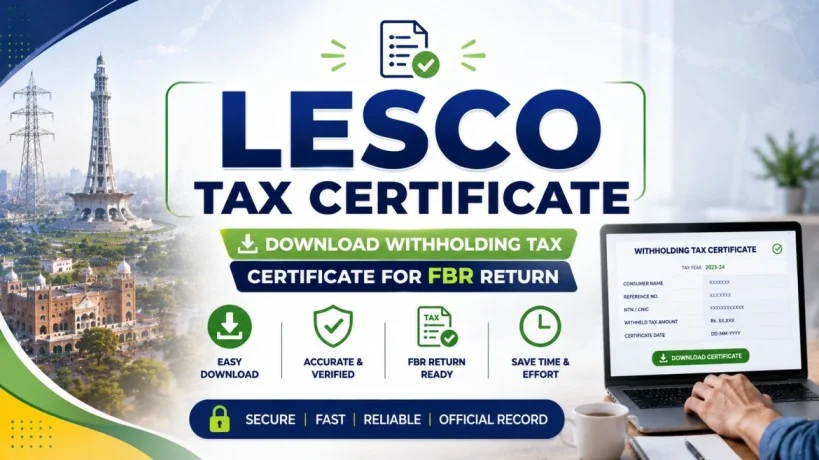
LESCO Tax Certificate 2026 – Download Withholding Tax Certificate for FBR Return
Whether you are a property owner, a business operator, a salaried employee with a high electricity bill, or someone who has just applied for a new LESCO connection, understanding your tax certificate is crucial. This guide explains everything about LESCO tax certificates—from why you need one to how to download it, use it in your FBR income tax return, and understand its connection to new connection charges.
What is a LESCO Tax Certificate?
Your LESCO tax certificate is an official document issued by Lahore Electric Supply Company that shows the total amount of income tax (withholding tax) collected from your electricity bills during a financial year (July to June).
Also known as:
- Tax Deduction Certificate
- Withholding Tax Certificate
- Certificate of Collection of Tax (official term under Section 235, Income Tax Ordinance 2001)
- LESCO Certificate Tax (casual reference)
This certificate is issued under Section 235 of the Income Tax Ordinance 2001, which allows the government to collect advance tax directly through utility bills. The amount collected is adjustable against your final tax liability when you file your annual return with the Federal Board of Revenue (FBR).
Why this matters: If you never claim this certificate, you lose the tax amount you already paid. Many Pakistani taxpayers lose hundreds of thousands of rupees annually by ignoring this document.
Who Needs a LESCO Tax Certificate?
Not every LESCO customer requires a tax certificate. Your eligibility depends on your bill amount and tax registration status.
You NEED a LESCO Tax Certificate if:
- Your monthly LESCO bill exceeds PKR 25,000 (the taxable threshold)
- You are not registered with FBR (non-filer status)
- You are a tax filer who wants to claim tax credit for amounts already paid
- You own multiple properties generating rental income (utilities in your name)
- You operate a business, shop, factory, or office with electricity bills
You DO NOT need a Tax Certificate if:
- Your monthly bill is consistently below PKR 25,000
- You hold an FBR Tax Exemption Certificate (FTEC), which exempts you from advance tax collection
- You are an exempt category (diplomat, development organization, etc.)
Special case: Even if your monthly bill is below PKR 25,000 for most months, if it exceeds the threshold in any billing period, LESCO will collect tax for that period. You can still claim it.
LESCO New Connection Charges and Tax Implications
When you apply for a new LESCO meter, you pay a demand notice fee. This cost varies by connection type but does NOT include income tax deduction in the first year. However, understanding new connection charges helps you plan your tax strategy.
LESCO New Connection Charges 2026:
| Connection Type | Single Phase | Three Phase | Includes |
|---|---|---|---|
| Domestic (Residential) | PKR 21,300 | PKR 63,450 | Meter + cables + installation + refundable security deposit |
| Commercial/Small Business | PKR 21,300 | PKR 63,450 | Same as domestic (load-dependent) |
| Industrial | PKR 63,450+ | PKR 95,000+ | Higher costs for larger loads |
Important distinction: This is a one-time fee, NOT recurring. It is NOT subject to income tax. However, once your monthly consumption reaches PKR 25,000+, you’ll start paying 7.5% withholding tax on your electricity charges (not the connection fee).
Why this matters: Budget for both the initial connection charge AND anticipate withholding tax on your first full bill. If you consume heavily (air conditioning, industrial machinery), your first bill after connection may attract significant tax.
Types of Tax Collected by LESCO
Your LESCO bill includes multiple taxes. Only one type appears in your tax certificate.
| Tax Type | Appears in Certificate? | Who Pays | Amount | Adjustable in Return? |
|---|---|---|---|---|
| Income Tax (Section 235) | ✅ YES | Non-filers only (if bill > PKR 25,000) | 7.5% of charges | ✅ Yes, adjustable |
| General Sales Tax (GST) | ❌ NO | All consumers | 17% of charges | ❌ Not adjustable for most |
| Fuel Price Adjustment (FPA) | ❌ NO | All consumers | Variable (₹/unit) | ❌ Not adjustable |
| Fixed Charges (Load-based) | ❌ NO | All consumers | PKR 200–675/kW/month | ❌ Not adjustable |
Why this matters: Your tax certificate ONLY shows income tax (Section 235). GST, FPA, and fixed charges do NOT appear in the certificate and are NOT adjustable in your tax return, even though they inflate your bill.
Manual Method: Getting Certificate from Your July Bill
Every year, LESCO issues a Tax Deduction Summary on your July bill. This summary shows the total tax collected from the previous financial year (July-June). You can use this as your certificate for FBR filing.
How to retrieve it from your July bill:
- Find your July bill (issued in July each year). This is the only bill that includes year-end tax summary.
- Look for a section labeled:
- “Tax Deduction Summary”
- “Income Tax Collected”
- “Section 235 Withholding Tax”
- Note the total withholding tax amount. This is your certificate figure.
- If your bill is lost or damaged, request a duplicate July bill from LESCO.
- Preserve this bill. It serves as your official tax certificate for that financial year.
Advantages:
- No need to access online portals
- Paper copy serves as hard evidence
- Available immediately
Disadvantages:
- Only available once per year (July)
- Lost bills require office visits
- Not consolidated in one official certificate document
Online Method: Downloading Certificate from PITC Portal
The faster, more modern method is downloading your tax certificate online from the official PITC (Power Information Technology Company) portal or LESCO website.
Step 1: Visit the Official LESCO Website
Go to the official LESCO portal or the PITC web portal. (Exact URLs: https://lesco.gov.pk or through PITC’s centralized system for all DISCOs.)
Step 2: Register or Log In
If you’re already a LESCO customer with an online account:
- Enter your Customer ID (printed on your bill)
- Enter your Password
If you’re NOT registered:
- Click “Register” or “Sign Up”
- Provide: Customer ID, email, phone number, password
- Complete email verification
Step 3: Navigate to Tax Certificate
Once logged in:
- Look for “Customer Services” menu
- Click on “Tax Deduction Certificate” or “Tax Certificate”
- A new window/dropdown will appear
Step 4: Select Year
- Choose the financial year (July-June) for which you want the certificate
- Click “Tax Certificate” to generate it
Step 5: Download and Save
- A PDF will appear showing your “Certificate of Collection of Tax”
- Download it to your computer
- Save it with a clear filename: “LESCO_Tax_Cert_2025-26_[CustomerID].pdf”
- Print a copy for your records (PDF serves as official proof)
Advantages:
- Available 24/7 online
- No office visit needed
- Official, FBR-recognized document
- Can download multiple years
Disadvantages:
- Requires internet connection
- Need to remember login credentials
- Portal may occasionally have downtime
LESCO Tax Certificate vs. Withholding Tax Certificate: The Difference
These terms are often used interchangeably, but there’s a subtle distinction:
| Term | Official Name | Issued By | Contains | Use |
|---|---|---|---|---|
| Tax Deduction Certificate | Certificate of Collection of Tax (Section 235) | LESCO | Total income tax withheld only | FBR return filing |
| Withholding Tax Certificate | Same as above | LESCO | Same (WHT on electricity) | Same—FBR return filing |
| Income Tax Certificate | Casual term | LESCO system | Shows tax deducted | Same |
In practice, these are the same document. LESCO and FBR use these terms interchangeably. When searching online, “lesco withholding tax certificate,” “lesco tax deduction certificate,” and “lesco tax certificate” all refer to the same official document.
Why this matters: Don’t get confused by terminology. Whether you see “withholding tax certificate” or “tax deduction certificate,” you’re looking for the same thing—proof of tax already paid on your electricity bills.
How to Use Your LESCO Tax Certificate in FBR IRIS Return
Your certificate is worthless unless you actually use it in your tax return. Here’s how:
Step 1: Access FBR IRIS Portal
Go to https://iris.fbr.gov.pk (Federal Board of Revenue’s Income Tax Return Information System).
Step 2: Log In or Create Account
Use your:
- National ID Number (NTN) for companies
- CNIC for individuals
- Password
Step 3: Start Your Income Tax Return
Click “File Return” or “New Return for Tax Year [Year].”
Step 4: Enter Income and Deductions
In the income section:
- Report all income sources (salary, business, rental, etc.)
- If you’re a non-filer, enter estimated income
- Add any deductions you’re eligible for
Step 5: Find “Advance Tax” or “Withholding Tax” Section
This varies by return type. Look for:
- “Advance Tax Paid”
- “Withholding Tax Paid”
- “Tax Credit”
- “Adjustable Tax”
Step 6: Upload or Reference Your LESCO Certificate
- Attach the LESCO Tax Certificate PDF as supporting documentation
- Enter the total withholding tax amount shown on your certificate
- The system will recognize it and adjust your final tax liability
Step 7: Calculate and File
The IRIS system will:
- Calculate your total tax liability
- Deduct the LESCO tax already paid (your certificate amount)
- Show the final amount due or refund
Step 8: Submit and Obtain Receipt
Once submitted, you’ll receive a filing receipt with your return number. Keep this receipt as proof of filing.
Why this matters: This step actually claims your money back. Skipping this step means your 7.5% withholding tax is lost—no refund, no credit.
Non-Filer vs. Filer: Tax Rates and Certificate Impact
Your tax certificate value depends on whether you’re registered as a Filer or Non-Filer with FBR.
| Status | Tax Rate on Bill | Certificate Amount | Can Claim Credit? | Impact |
|---|---|---|---|---|
| Non-Filer (Not ATL) | 7.5% of charges (if bill > PKR 25,000) | Full amount collected | ✅ Yes, in tax return | Reduces final tax liability |
| Registered Filer (ATL) | 0% (no tax collected) | None issued | N/A | No certificate, no withholding |
| FTEC Holder (exempt) | 0% (with certificate) | None issued | N/A | Exempt by FBR order |
Non-Filers Pay More: If you’re a non-filer and your LESCO bill exceeds PKR 25,000, LESCO automatically deducts 7.5%. This is mandatory. However, if you file a return with FBR, you can claim this amount as a tax credit.
Filers Pay Less: If you’re on the Active Taxpayers List (ATL), you’re exempt from this 7.5% withholding. LESCO doesn’t collect it, so you have no certificate—but you also have no withholding to adjust.
Why this matters: Non-filers should always file a return just to claim their LESCO withholding tax credit. Many non-filers pay 7.5% on electricity and never reclaim it, losing 5-6 figures annually.
Frequently Asked Questions (FAQs)
Final Thoughts
Your LESCO tax certificate is a critical document—one that directly protects your wallet. Whether you’re a property owner paying high electricity bills, a business operator with industrial consumption, or a high-income earner with large household electricity usage, claiming your withholding tax is your legal right.
The process is simple: download the certificate online (fastest method) or retrieve it from your July bill (manual method), then use it when filing your FBR return through IRIS. Don’t let thousands of rupees disappear each year due to overlooking this document.
Remember: New connection charges are one-time fees, but withholding tax on your monthly bills is ongoing. Claim it every year.
Contact LESCO if you need help: Toll-free: 0800-00118 | SMS: 8118 | Website: https://lesco.gov.pk
LESCO Tax Certificate — Quick Reference
- Official Name: Certificate of Collection of Tax (Section 235, Income Tax Ordinance 2001)
- Issued For: Income tax withheld from electricity bills annually (July-June)
- Eligibility: Non-filers with monthly bill > PKR 25,000
- Tax Rate: 7.5% of charges (for non-filers only)
- Download Method 1: Online via LESCO/PITC portal (24/7)
- Download Method 2: From July bill (manual, once per year)
- Used For: FBR IRIS tax return filing
- FBR Recognition: Yes, official document accepted as proof
- Adjustable: Yes, reduces final tax liability
- Validity: Tied to specific financial year (July-June)
- Cost: Free to download or request