
How to Check LESCO Bill Online 2026 | Complete Guide
Whether you are a residential consumer, a small business owner, a shop keeper, or a property manager—checking your LESCO electricity bill online has become essential in modern Pakistan. Lahore Electric Supply Company (LESCO) distributes power to over 5.5 million consumers across Lahore, Kasur, Okara, Sheikhupura, and Nankana Sahib. Each month, the question “How do I check my LESCO bill online?” gets searched thousands of times because paper bills often arrive late, get misplaced, or never show up at all.
This complete guide explains every method to check your LESCO bill—from the official online portal to mobile apps, SMS alerts, and offline customer service centers. By the end of this article, you’ll know exactly how to access your electricity bill anytime, download a duplicate copy for free, and understand every charge printed on it.
What is LESCO and Why Online Bill Checking Matters
LESCO stands for Lahore Electric Supply Company. It is a government-owned power distribution company that emerged in 1998 after Pakistan’s electricity sector restructuring. Today, it operates under WAPDA (Water and Power Development Authority) and is regulated by NEPRA (National Electric Power Regulatory Authority).
The company supplies electricity to five districts:
- Lahore (metropolitan city)
- Kasur (agricultural and industrial areas)
- Okara (cotton-growing region)
- Sheikhupura (rural and semi-urban zones)
- Nankana Sahib (smaller towns and villages)
Why online bill checking matters: Paper bills in Pakistan often arrive 5-10 days after the billing cycle ends. If your bill arrives after the payment due date, you risk late surcharges. By checking online, you access your bill the moment it’s generated—usually between the 25th and 30th of each month. This gives you advance notice to arrange payment and avoid penalties.
Additionally, online bill checking is:
- Completely free (no registration fee, no subscription charge)
- Available 24/7 from any device (mobile, tablet, computer)
- Paperless (saves physical storage space)
- Instant (takes 10 seconds to retrieve)
Five Online Methods to Check Your LESCO Bill
There are five primary online methods by which LESCO consumers can check their electricity bills in 2024. Each method has different advantages depending on your device, internet speed, and preference.
Method 1: Official LESCO PITC Portal (Most Reliable)
The official LESCO portal is hosted and managed by PITC (Power Information Technology Company). This is the most authoritative source for your bill data.
How to access:
- Visit the official portal at www.lesco.gov.pk or www.lesco.com.pk
- Look for “Check Your Bill” or “Online Bill Check” section on the homepage
- Enter your 14-digit reference number (found on any previous bill)
- Select your area type: Urban (U) or Rural (R)
- Click “Check Bill” to retrieve your latest electricity invoice
- View, download, or print the bill instantly
Why this method is best: Direct access to government database. No third-party intermediary. SSL-encrypted and secure.
Potential issues: Portal sometimes experiences slow loading during peak hours (afternoon 2 PM to 8 PM). If it times out, wait 15 minutes and try again.
Method 2: Third-Party Bill Checker Websites (Fastest Alternative)
Several authorized third-party websites aggregate LESCO bill data and make it instantly accessible. These websites do not store your data—they retrieve it from LESCO’s official database and display it.
Steps:
- Open any of the above websites
- Enter your 14-digit reference number
- Select online or offline method
- Click submit
- Bill appears in 2-3 seconds
Advantage: Much faster than the official portal because these sites use optimized servers. No registration required.
Important: These are not official LESCO channels, but they access the same government database. All are safe to use if using HTTPS (green padlock in browser).
Method 3: LESCO Mobile App Download
LESCO offers an official mobile app for both iOS and Android devices. The app provides the fastest mobile experience for bill checking.
Download links:
- Android: Search “LESCO Bill” in Google Play Store
- iOS: Available on Apple App Store
Using the app:
- Download and install the free app
- Tap “Check Bill” on the home screen
- Enter reference number or customer ID
- Select area type (Urban/Rural)
- Your bill displays instantly
- Tap download icon to save as PDF
Advantage: Saves your reference number so you don’t re-enter it monthly. Notifications alert you when new bills are issued. Offline mode available (after first bill retrieval).
Note: App size is only 8-12 MB, works smoothly even on older Android phones.
Method 4: SMS-Based Bill Checking (No Internet Needed)
LESCO provides SMS bill checking for consumers without reliable internet access.
How it works:
- Open your mobile phone’s SMS/Text message app
- Type your 14-digit reference number
- Send to LESCO’s SMS number: 8118
- Wait 30-60 seconds
- LESCO responds with your current bill amount, due date, and units consumed
- Cost: Free (uses your regular SMS quota)
What you receive in SMS:
- Bill reference number
- Billing month
- Total units consumed
- Current bill amount in Pakistani rupees
- Payment due date
- Last reading and current reading
Advantage: Works with any phone (even basic 2G phones). No data required. Fastest response time (often instant).
Limitation: SMS only shows summary. You won’t see tax breakdowns or detailed charges. For complete bill details, use online methods.
Method 5: Third-Party Billing Apps (Udhaar Book, Easypaisa, JazzCash)
Several fintech apps in Pakistan have integrated LESCO billing for convenience. These apps bundle multiple utility providers in one dashboard.
Udhaar Book:
- Free mobile app
- Save your LESCO reference number once
- App automatically retrieves all future bills
- Shows payment history
- Download 1 GB of data per month free
Easypaisa / JazzCash:
- Built-in bill checking feature
- Combines with bill payment (pay directly from app)
- Notification reminders before due date
- Mobile wallet integration
Steps (Udhaar Book example):
- Download Udhaar Book from Play Store or App Store
- Tap “Bill Payments”
- Select “Electricity” → “LESCO”
- Enter your reference number once
- App saves it for future use
- All monthly bills appear automatically next time you open the app
Advantage: Best for those who want to check AND pay in one place. After first entry, zero additional effort needed.
Three Offline Methods If the Portal is Down
Sometimes LESCO’s online systems undergo maintenance, or your internet might be unavailable. In these situations, you have offline options.
Offline Method 1: Customer Service Center Visit
Every major city and town in LESCO’s service area has a dedicated customer service center.
LESCO Headquarters & Main Service Centers:
- Head Office: 22-A Queen’s Road, Lahore
- Cantt Circle Office: Lahore Cantt
- Mozang Circle Office: Lahore
- Jail Road Office: Lahore
- Mall Road Service Center: Lahore
- Racecourse Outlet: Racecourse, Lahore
- Regional offices in Kasur, Okara, Sheikhupura, and Nankana Sahib
What to bring:
- Original CNIC (identity card)
- One photocopy of CNIC
- Your account reference number (if you have any previous bill)
- Property ownership document (if you’re asking on behalf of property)
What you get:
- Staff retrieves your bill on their system
- Printed duplicate bill (same-day, usually within 10 minutes)
- Answer any billing questions in person
- File complaints if bill amount seems incorrect
Cost: Free (no charges for duplicate bill)
Timing: Customer service centers operate 8 AM to 4 PM, Monday to Friday. Closed on Saturdays, Sundays, and national holidays.
Why this method is important: Some older consumers prefer in-person verification. Staff can also explain charges if you don’t understand specific items on your bill.
Offline Method 2: Telephone Helpline 118 or 1800-00118
LESCO operates a 24/7 toll-free customer service line.
How to call:
- Dial 118 or 1800-00118 from any mobile or landline in Pakistan
- Customer service representative answers (average wait time: 2-3 minutes)
- Tell them your reference number
- They confirm your bill amount, due date, and usage
- They can also register complaints or address billing disputes
Advantages:
- Available 24/7 (including holidays)
- No waiting in physical queues
- Staff speaks Urdu, English, and regional languages
- Can ask follow-up questions about charges
Limitation: They don’t send the bill document—only provide verbal information. For duplicate bill copy, you need online method or physical center visit.
Cost: Free (toll-free number)
Offline Method 3: Authorized LESCO Bill Payment Outlets
Many convenience stores, mobile shops, and authorized retailers display your LESCO bill when you visit to make a payment. These outlets have direct access to LESCO data for payment verification.
Where to find:
- Local convenience stores (with LESCO branding)
- Mobile phone shops (Zong, Telenor, Jazz outlet)
- Postal services (Pakistan Post offices)
- Designated LESCO kiosks in shopping centers
How it works:
- Visit any authorized outlet in your area
- Tell the cashier you want to check/pay your bill
- Provide your reference number
- They access LESCO system and display your current bill
- You can pay on the spot or just view the amount
- They provide a receipt with bill details
Advantage: Convenient if you’re already going to a nearby shop. Simultaneously check and pay your bill in one visit.
Step-by-Step Guide: How to Check LESCO Bill Online by Reference Number
This is the most commonly used method. Follow these exact steps:
Step 1: Locate Your 14-Digit Reference Number
Your reference number is printed on any previous LESCO electricity bill you’ve received. It is a unique 14-digit code that identifies your electricity connection.
Where exactly to find it on the bill:
- Top-left corner of the bill (often labeled “Reference No.” or “Account Number”)
- Sometimes printed in bold text
- It looks like this example: 12345678901234U (the letter U or R at the end indicates Urban or Rural)
Why this matters: Even one wrong digit will prevent the bill from loading. Copy it exactly as printed.
Step 2: Choose Your Online Access Method
For this guide, we’ll use the official LESCO portal. Open your web browser and type:
- www.lesco.gov.pk (official government link)
- OR www.lesco.com.pk (alternative official link)
Both links work identically.
Step 3: Locate the Bill Check Section
On the homepage, you’ll see a prominent banner or button labeled:
- “Check Your Bill”
- “Online Bill Check”
- “Bill Inquiry”
Click this button to proceed.
Step 4: Enter Your Reference Number Correctly
The portal displays an input field asking for your reference number. Type your 14-digit number carefully.
- No spaces
- No dashes
- Include the final letter (U for Urban, R for Rural)
- Double-check before submitting (one typo = bill won’t load)
Step 5: Select Your Area Type
Next, select whether your area is:
- Urban (U) if you’re in Lahore city proper or major towns like Kasur city
- Rural (R) if you’re in villages, agricultural areas, or semi-urban zones
This helps the system narrow down your bill from the correct subdivision.
Step 6: Click the Submit Button
Press “Check Bill” or “Search” button. The page briefly shows “Loading…” while it retrieves your data from LESCO’s database (usually 3-5 seconds).
Step 7: Review Your Bill on Screen
Your electricity bill now appears with all details:
- Billing month (e.g., “Bill for June 2024”)
- Reference number (confirms it’s your account)
- Consumer name and address
- Meter number
- Previous meter reading
- Current meter reading
- Units consumed (difference between readings)
- Energy charges (cost of units used)
- Taxes and surcharges
- Total payable amount
- Payment due date
Step 8: Download or Print Your Duplicate Bill
At the bottom of your bill display, you’ll find buttons:
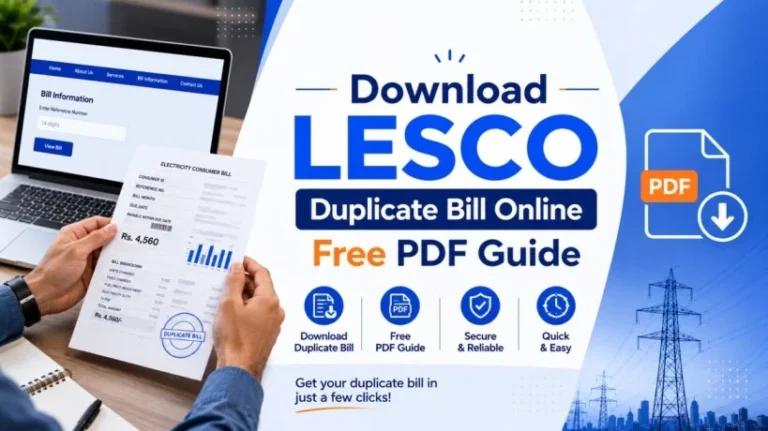
- Download as PDF: Saves a copy to your phone or computer. Use this if you need the bill for future reference, school admission, bank account opening, etc.
- Print: Sends the bill to your connected printer. Useful if you want to keep a physical copy or submit it to a bank.
Both download and print options are completely free.
Step 9: Note the Due Date and Payment Options
Before closing, make a mental note of:
- Exact payment due date (usually 20-25 days after bill issued date)
- Total payable amount
- Consequences of late payment (1% to 2% surcharge if you pay after due date)
This entire process takes 2-3 minutes from start to finish.
How to Find Your 14-Digit Reference Number (If You Don’t Have a Previous Bill)
If you’ve lost all your previous LESCO bills or are a new connection, finding your reference number requires a different approach.
Option 1: Check Old Bills Stored Anywhere
Search your home for:
- Filed bills in a folder or drawer
- Bills stuffed in bill envelopes by the meter
- Photocopies kept for tax or school purposes
- Photos of bills saved on your phone from previous months
Your reference number has not changed since your connection started. It is permanent for your electricity account.
Option 2: Contact LESCO Directly
Call the LESCO helpline at 118 or 1800-00118 and provide:
- Your full name (as registered with LESCO)
- Your CNIC (national identity card) number
- Your meter number (if available—printed on your physical meter)
- Your complete address
LESCO staff will retrieve your reference number from their database and provide it over the phone. Write it down immediately so you have it for future use.
Option 3: Visit a Customer Service Center
Bring your CNIC and address proof to any LESCO office. Staff will look up your account and provide your reference number. This is the most reliable offline method.
Option 4: Check Your Meter Directly
Some newer LESCO meters display your reference number on the meter’s digital or analog display. Look at the front of your electricity meter (usually a rectangular box on your wall). You might see your reference number printed on a label.
Understanding Your LESCO Bill Components: Complete Breakdown Table
Most LESCO consumers are confused about the charges on their bill because they don’t understand what each line item means. Here’s a complete explanation table:
| Bill Component | What It Is | Example Amount | Why It’s Charged |
|---|---|---|---|
| Reference Number | Your unique 14-digit account ID | 12345678901234U | Identifies your connection |
| Billing Period | Month for which bill is issued | June 2024 | Tracks monthly billing cycle |
| Meter Reading | Previous and current meter reading | Previous: 50,000 Current: 50,350 | Calculates units consumed |
| Units Consumed | Electricity used in kilowatt-hours (kWh) | 350 units | Basis of energy charges |
| Energy Charges | Cost of electricity at applicable tariff rate | Rs. 6,500 | Primary bill component |
| FPA (Fuel Price Adjustment) | Cost adjustment for fuel price fluctuations | Rs. +250 or -150 | NEPRA regulation (varies monthly) |
| F.C. Surcharge | Financing Cost Surcharge (fixed) | Rs. +43 per unit = Rs. 150 | LESCO operational cost recovery |
| GST | General Sales Tax (17% on certain charges) | Rs. +1,100 | Government tax on utilities |
| Income Tax | Income Tax Withholding (for high consumers) | Rs. +500 | Government tax (applies if bill >Rs. 3,000) |
| Government Subsidy (if applicable) | Relief for low-consumption consumers | Rs. -500 | Government program for poor families |
| Late Payment Surcharge | Penalty if paid after due date | Rs. +300 | LESCO penalty (1-2% of bill if late) |
| Previous Arrears | Unpaid amount from previous month | Rs. 2,500 | Added to current bill for collection |
| Total Payable | Final amount you must pay | Rs. 10,500 | Sum of all charges minus discounts |
| Due Date | Last date to pay without surcharge | 15th of next month | LESCO payment deadline |
Why FPA changes monthly: Fuel Price Adjustment is determined by NEPRA based on international oil prices and fuel cost variations. When crude oil prices increase globally, FPA increases. When they decrease, FPA decreases or becomes negative (a credit to your bill).
Who pays Income Tax: Only consumers whose monthly bill exceeds Rs. 3,000. Domestic (home) users under 300 units typically don’t pay income tax.
Why GST is variable: Not all charges attract GST. Energy charges do; some surcharges don’t. NEPRA tariff regulations determine which items are taxable.
Comparison Table: Payment Methods for Your LESCO Bill
After checking your bill online, you need to pay it. There are multiple payment methods available. Choose the one that suits you best:
| Payment Method | How It Works | Time Required | Best For | Notes |
|---|---|---|---|---|
| Online Banking (RAAST) | Mobile app → Utilities → LESCO → Enter ref. no → Pay | 2 min | Quick, modern payment | Most banks support (HBL, UBL, MCB, NAB, Faysal) |
| Mobile Wallets (Easypaisa/JazzCash) | App → Bill Payment → LESCO → Enter amt → Confirm | 2 min | Non-bank users | Easy for unbanked consumers |
| Bank ATM | ATM → Bill Payment → LESCO → Enter ref. no → Withdraw cash | 5 min | No internet needed | Available 24/7 |
| Bank Counter/Branch | Walk-in → Submit bill → Pay cash or check | 10-15 min | Physical preference | Slower but direct |
| Post Office | Visit postal service → Submit bill → Pay | 15-20 min | Rural areas | Widely available in small towns |
| LESCO Customer Center | Walk-in → Pay directly at counter | 10 min | Direct LESCO payment | Counters open 8 AM-4 PM only |
| Authorized Retail Outlets | Visit mobile shop or convenience store → Pay | 5 min | Locality convenience | Quick payment in your neighborhood |
Important: Never pay in advance or pay to anyone claiming to work for LESCO at your door. Only pay through official channels or banks.
Common LESCO Bill Errors and How to Fix Them
Even with online systems, billing errors sometimes occur. Here’s how to identify and resolve them:
Error 1: Meter Reading Jump (Units Unexpectedly High)
What happened: Your bill shows 300 units consumed, but you usually consume 150 units monthly. The amount is nearly double.
Possible reasons:
- Meter malfunction (stuck, not resetting monthly)
- Electricity theft or illegal load on your line
- Wiring problem causing meter to overcount
- Genuine high usage (broken refrigerator, summer AC overuse)
How to fix:
- Compare with last month’s bill (meter reading should increase by your consumption)
- Check if your meter number matches the bill
- If error is confirmed, call LESCO helpline: 118
- Request a meter inspection/verification
- LESCO sends technician to your home (free)
- If meter fault confirmed, LESCO adjusts your bill retroactively
- Timeline: Inspection within 5-7 days; adjustment within 10-15 days
Error 2: Double Billing or Duplicate Charges
What happened: Same charge appears twice on your bill, or you received two bills for the same month.
How to fix:
- Take screenshots of both bills (email evidence)
- Note your reference number and billing month
- Call 118 or visit customer service center
- Provide both bill copies or bill numbers
- LESCO verifies in their system
- If duplicate confirmed, one bill is waived
- Refund or credit to next month’s bill
Error 3: Incorrect Tariff Applied
What happened: You’re charged commercial rates (higher) when you’re a residential customer.
Common cause: LESCO mistakenly categorized your connection.
How to fix:
- Gather proof: Your original connection application, electricity meter category label
- Call 118 with your reference number
- Request “tariff category review”
- Provide evidence of correct category
- LESCO re-evaluates within 15 days
- If error confirmed, bill is recalculated at correct rate
- You receive credit for overpaid amount
Error 4: Taxes Applied When You Should Get Relief
What happened: You qualify for government relief (lifeline tariff for low-income families), but GST or income tax still appears on your bill.
How to fix:
- Verify eligibility: Domestic consumer using less than 100 units/month
- Gather proof: Poverty documentation, BISP (Benazir Income Support Program) card
- Visit customer service center with documents
- Request “lifeline tariff adjustment”
- LESCO processes claim (takes 10-20 days)
- Relief applied to next month’s bill onward
Error 5: Late Surcharge Even Though You Paid On Time
What happened: Bill shows a late payment surcharge, but you paid before due date.
Possible cause: Payment processing delay (banking system took extra days to confirm)
How to fix:
- Check your bank statement for payment date
- Gather proof: Bank receipt with payment date and confirmation number
- Call 118 with reference number and payment proof
- LESCO verifies payment in their system (if dated before due date, no surcharge should apply)
- If surcharge is confirmed as error, LESCO removes it
- Credit appears on next bill
If none of the above applies: File a formal complaint through LESCO’s Complaint Management System (CMS) at ccms.lesco.gov.pk or call 1800-00118 extension 5.
Eight Tips for Managing Your LESCO Electricity Bill Long-Term
Rather than being surprised by high bills each month, use these practical strategies to keep costs controlled:
Tip 1: Shift Heavy Appliance Usage to Off-Peak Hours
Off-peak hours in LESCO’s service area typically run from 10 PM to 8 AM the next morning. Electricity tariff during off-peak is roughly 10-15% cheaper than peak hours (2 PM to 8 PM). Run your washing machine, iron clothes, charge devices, and use heavy appliances during night hours when possible.
Tip 2: Invest in Energy-Efficient Appliances
Older appliances consume 30-40% more electricity than modern ones. When your fridge or AC needs replacement, buy units with 5-star energy rating. Initial cost is higher, but monthly bill savings recover the investment in 18-24 months.
Tip 3: Maintain Your Air Conditioner Filter Monthly
A clogged AC filter makes the unit work 25-30% harder, consuming extra electricity. Clean or replace filters every month during cooling season (May-September). This single habit can save Rs. 1,500-3,000 per month during summer.
Tip 4: Install LED Lights Throughout Your Home
LED bulbs use 75% less electricity than incandescent bulbs and last 10 times longer. Replacing all bulbs in a typical home costs Rs. 3,000-4,000 but saves Rs. 500-1,000 monthly. Payback period: 3-4 months.
Tip 5: Keep Your Meter Area Clean and Accessible
Dust and debris on your meter can cause reading errors. Wipe your meter box monthly. Ensure LESCO meter readers can access it easily (no locked gates or obstructions). Poor meter maintenance sometimes leads to estimation bills, which are often higher than actual consumption.
Tip 6: Compare This Month’s Bill with Previous Three Months
Create a simple spreadsheet or note tracking:
- Month (e.g., June 2024)
- Units consumed
- Total bill amount
Sudden unexplained jumps indicate potential problems. If June bill is suddenly 100 units higher than May-April-March average, investigate immediately rather than waiting until next month.
Tip 7: Apply for Government Relief Programs If Eligible
LESCO offers Lifeline Tariff for domestic consumers using less than 100 units monthly and earning below a certain income threshold (typically < Rs. 50,000/month). Relief reduces tariff by 20-30%. Apply through customer service center with income proof.
Tip 8: Set a Phone Reminder for Payment Due Date
Late payment surcharge is 1-2% of your bill amount. On a Rs. 10,000 bill, late surcharge costs Rs. 100-200. Set a phone alarm 3 days before due date so you never forget. Mark it in your calendar or use a bill payment app with reminder notifications.
Government Relief Programs for LESCO Consumers in Pakistan
Pakistan’s government has implemented multiple relief schemes specifically for LESCO electricity consumers:
Lifeline Tariff Scheme (Lifeline Consumer)
- Eligibility: Domestic connections consuming less than 100 units per month
- Income limit: Typically for families earning below Rs. 50,000/month
- Discount provided: First 50 units charged at highly subsidized rate (Rs. 8-10 per unit vs. Rs. 25-30 normal rate)
- How to apply: Visit LESCO customer service center with proof of income (tax return, salary slip) and identity card
- Processing time: 15-20 days
- Benefit on bill: Monthly savings of Rs. 1,000-2,500 depending on usage
Generic Tariff Relief (For all domestic users below 300 units)
- When: During summer months (May-September), government announces targeted relief
- What: 1-3 month exemption from surcharges or FPA charges
- Example: In summer 2024, first 100 units received 20% discount for domestic users
- How to access: Automatic application if you’re a registered domestic consumer (no application needed)
BISP Electricity Discount (Benazir Income Support Program)
- Eligibility: BISP beneficiaries (low-income families receiving BISP cash assistance)
- Discount: Rs. 300-500 off monthly electricity bill
- How to claim: Present BISP card at LESCO customer service center
- Verification: LESCO cross-checks BISP database
- Timeline: Discount appears on next billing month
Industrial/Agricultural Tariff (For non-domestic users)
- Commercial connections: Tariff rate is 30-50% higher than residential
- Agricultural connections: Discounted tariff (Rs. 5-8 per unit) if used exclusively for tube wells, irrigation, or farm equipment
- Processing: Provide proof of agricultural use (agricultural land document, tube well registration)
Frequently Asked Questions About LESCO Bill Checking
FINAL THOUGHTS
Checking your LESCO bill online in 2024 is simple, free, and takes just 2-3 minutes. Whether you’re a homeowner in Lahore, a shopkeeper in Kasur, or a property manager handling multiple accounts, the methods described in this guide work for everyone.
The key takeaway: Don’t wait for your paper bill to arrive. Check online 1-2 days after the 25th of each month, confirm the amount, and make payment before due date to avoid surcharges. Keep your reference number saved somewhere safe (write it down or save it in your phone). Track your consumption monthly and flag unusual increases immediately.
If you encounter billing errors or issues, remember that LESCO customer service is genuinely responsive when complaints are filed formally. Over 5.5 million consumers depend on this system, and LESCO is committed to resolving legitimate disputes within 15-20 days.
For the latest LESCO updates, tariff changes, and seasonal programs, bookmark the official website www.lesco.gov.pk and save the helpline number 118 in your phone contacts.