How to Pay LESCO Bill Online: Complete Payment Guide for Pakistan 2026
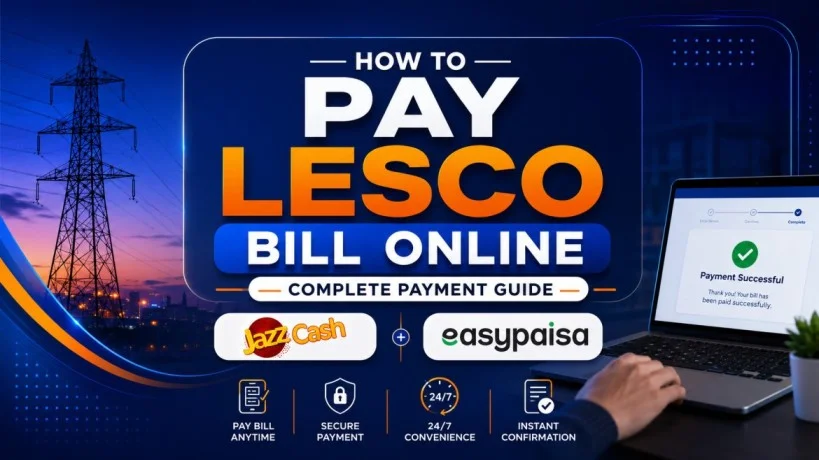
Paying your LESCO electricity bill on time is essential—miss the deadline and you face late surcharges, disconnection risk, and unnecessary inconvenience. Many consumers still don’t know the easiest, fastest, or safest way to pay online. This LESCO Bill Payment guide covers every payment method step by step, whether you prefer mobile wallets, internet banking, or visiting a bank in person. It also explains how to verify your payment was received and what to do if something goes wrong.

Why Paying LESCO Bill on Time Matters
Your LESCO bill has a specific due date printed on it. This date is crucial because:
Avoid Late Surcharge: If you pay after the due date, a 1-2% late surcharge is added to your bill amount. On a Rs. 10,000 bill, this means Rs. 100-200 extra.
Prevent Disconnection: Unpaid bills can result in electricity disconnection within 30-45 days. Once disconnected, reconnection costs Rs. 1,500-3,000 plus administrative fees.
Protect Your Credit Score: Banks and financial institutions now check utility payment history before approving loans or credit cards. Repeated late payments damage your financial reputation.
Maintain Service Continuity: Timely payment ensures uninterrupted electricity supply to your home or business.
Peace of Mind: Knowing your bill is paid eliminates stress and uncertainty.
Understanding Your Payment Due Date
Your LESCO bill displays the due date prominently on the top-right corner. The due date is usually 20-25 days after the bill is issued.
Example: If your bill is issued on June 25, the due date is typically July 15-20. Pay anytime on or before that date to avoid surcharges. After that date, late surcharge applies.
Payment Period by Month:
- Bills issued between 25th-30th of each month
- Due date falls 20-25 days later
- You have approximately 3 weeks to arrange payment from the day you receive the bill
Mark Your Calendar: Set a phone reminder 3 days before the due date. This gives you time to arrange payment before the deadline passes.
Five Online Payment Methods (24/7 Available)
There are five primary ways to pay LESCO bill online. Choose whichever is most convenient:

Method 1: JazzCash Mobile Wallet (Fastest)
JazzCash is Pakistan’s largest mobile wallet with 100+ million users. Paying through JazzCash takes 90 seconds.
Steps:
- Download and open JazzCash app on your phone
- Tap “Utility Bills” from the main menu
- Select “Electricity” → “LESCO”
- Enter your 14-digit reference number from your bill
- App displays your bill amount, due date, and late payment amount
- Tap “Confirm and Pay”
- Enter your JazzCash MPIN (4-digit security code)
- You immediately receive SMS confirmation
- Payment status shows “Paid” in the app
Advantages: Works 24/7, no bank needed, instant confirmation, can be done from anywhere.
Limitations: Requires active JazzCash account with balance.
Method 2: Easypaisa Mobile Wallet
Similar to JazzCash, Easypaisa is another trusted mobile wallet available to all networks.
Steps:
- Open Easypaisa app
- Navigate to “Bill Payments”
- Select “Electricity” → “LESCO”
- Enter reference number
- Confirm bill amount shown on screen
- Enter transaction PIN
- Receive SMS receipt immediately
Advantage: Alternative if you don’t have JazzCash. Works on all networks.
Method 3: Bank Mobile App (Secure & Reliable)
Almost all major Pakistani banks allow LESCO bill payment through their official apps: HBL, UBL, MCB, Meezan, Alfalah, Faisal Bank, ABL, etc.
Steps (Example: HBL App):
- Open your bank’s mobile app
- Login with your username/password or biometric
- Navigate to “Bill Payments” or “Utility Payments”
- Select “LESCO”
- Enter your 14-digit LESCO reference number
- Confirm bill amount and due date
- Enter One-Time Password (OTP) sent to your registered phone
- Complete payment
- Receive digital receipt in app
Advantage: Direct from your bank account, highly secure, payment tracking in one place.
Requirement: Must have active bank account and registered mobile number.
Method 4: RAAST Instant Payment System (Government Service)
RAAST is Pakistan’s latest digital banking system launched by the central bank. Available through all major bank apps.
Steps:
- Open your bank app
- Select “RAAST Payments”
- Choose “Bill Payments”
- Enter LESCO reference number or scan QR code from your bill
- System retrieves bill amount automatically
- Confirm and authenticate with biometric or OTP
- Payment processed instantly with zero extra charges
Advantage: No surcharge, fastest method, instant confirmation.
Method 5: LESCO Official Website/App
LESCO provides its own payment portal at www.lesco.gov.pk and mobile app.
Steps:
- Visit official LESCO website or download LESCO app
- Enter your reference number
- Click “Pay Now”
- Select payment method (debit/credit card, mobile wallet)
- Enter card details
- Complete 3D secure verification
- Receive instant receipt
Advantage: Direct from LESCO, payment recorded immediately.
Three Offline LESCO bill Payment Methods
If you prefer paying in person or lack internet access:
Method 1: Bank Branch Counter
Walk into any Pakistani bank branch with your LESCO bill. Pay using cash, cheque, or debit card. Receipt provided immediately. Processing time: 10-15 minutes.
Method 2: Bank ATM
Insert your debit card at any bank ATM, select “Bill Payment,” choose LESCO, enter reference number, and complete transaction. Available 24/7. Receipt printed instantly.
Method 3: LESCO Customer Service Center
Visit any LESCO office with your bill and cash/cheque/card. Staff process payment immediately. Cost: Free. Processing time: 5-10 minutes.
Other Offline Options: Post offices, authorized retail outlets, mobile wallet shops (JazzCash/Easypaisa physical shops).
Step-by-Step: Pay via JazzCash (Most Popular Method)
Since JazzCash is Pakistan’s most-used payment method, here’s detailed guidance:
Before You Start: Ensure you have active JazzCash account with sufficient balance to cover your bill + any late surcharge.
Step 1: Open JazzCash App
Find the JazzCash app on your phone’s home screen. Tap it to open.
Step 2: Login or Activate Account
If this is your first time, you’ll see “Register.” Enter your phone number (the one registered with your phone network). JazzCash sends an OTP. Enter that OTP to complete registration. You’re now ready to use JazzCash.
Step 3: Locate Utility Bills
On the JazzCash home screen, look for sections: Pay Bills, Utilities, or Bill Payments. The exact wording varies by app version. Tap this section.
Step 4: Choose Electricity
You’ll see multiple bill types (electricity, gas, water, internet). Select “Electricity.”
Step 5: Select LESCO
From the list of electricity providers (LESCO, MEPCO, IESCO, etc.), choose LESCO.
Step 6: Enter Reference Number
The app asks for your LESCO reference number. Type the 14-digit number from your bill carefully. This number is critical—one wrong digit = payment fails.
Step 7: Verify Bill Amount
JazzCash fetches your bill from LESCO’s system and displays:
- Payable amount
- Due date
- Late payment surcharge (if applicable)
- Billing month
Review this information. Confirm it matches your bill.
Step 8: Enter JazzCash MPIN
JazzCash asks for your 4-digit MPIN (Mobile Personal Identification Number). This is your security code. Enter it.
Step 9: Confirm Payment
App shows a final confirmation screen with all details. Tap “Confirm” or “Pay Now.”
Step 10: Wait for Confirmation
Processing takes 5-10 seconds. You’ll see a “Payment Successful” message with a transaction ID.
Step 11: Save Receipt
Screenshot the confirmation or tap “Save Receipt.” Keep this for your records.
Step 12: Verify in LESCO System
Within 24-48 hours, your payment status updates in LESCO’s system. Check your bill online to confirm “Paid” status.
How to Check If Your Bill Is Paid
After payment, verify it was received by LESCO:
Method 1: Check Online Portal
Visit www.lesco.gov.pk or use a third-party website like lescobill.pk. Enter your reference number. Your bill now displays with payment status marked “Paid.”
Method 2: Check Mobile App
Open the LESCO app or the app you used to pay (JazzCash, Easypaisa, bank app). Bill status shows as “Paid.”
Method 3: Call Helpline 118
Dial 118 (toll-free). Tell the representative your reference number. They verbally confirm whether your bill is paid.
Method 4: Check SMS Receipt
After payment, you receive two SMS messages:
- One from JazzCash/bank confirming payment initiated
- One from LESCO confirming bill received (may take 24 hours)
Save these SMS for proof.
Important: If you pay late in the evening, the system may take 24-48 hours to show “Paid” status. Payments made after midnight usually process the next business day.
Late Payment Surcharge: What Happens If You Miss the Deadline
Missing your due date has immediate consequences:
1-2% Surcharge: Added to your next month’s bill. On Rs. 10,000, this is Rs. 100-200 extra.
Disconnection Risk: If unpaid for 30+ days, LESCO sends a disconnection notice. Non-compliance results in meter removal.
Reconnection Fee: If disconnected, reconnection costs Rs. 1,500-3,000 plus administrative charges.
Credit Impact: Late payment pattern damages your credit score, affecting future loan approvals.
Service Interruption: No electricity supply if bill remains unpaid beyond grace period.
Prevention: Pay before the due date shown on your bill. Even paying 1 day late incurs surcharge.
Payment Troubleshooting: What If Your Payment Doesn’t Appear Online?
Issue 1: Payment Shows in App But Not in LESCO System
Solution: Payments can take 24-48 hours to reflect. Check again the next day. If still not showing, contact your payment provider (bank, JazzCash, etc.) to confirm the transaction was completed.
Issue 2: Payment Failed But Money Deducted
Solution: Contact your bank immediately. Ask them to verify whether the payment reached LESCO. If it didn’t, request a refund. Keep transaction receipt for reference.
Issue 3: Reference Number Not Found in Payment App
Solution: Double-check the number. Ensure no spaces or extra digits. Call LESCO helpline 118 to confirm your reference number is correct.
Issue 4: Received “Bill Not Found” Error
Solution: Your bill might be too old or new. LESCO systems show bills from the last 12 months. If your bill is older, visit a customer service center to pay manually.
Frequently Asked Questions
FINAL THOUGHTS
Paying your LESCO bill on time is simpler than ever. Choose any online method (JazzCash, bank app, RAAST) and you’re done in 2-3 minutes—24/7 from home. The key is to pay before the due date to avoid late surcharges and service interruption.
Set a calendar reminder 3 days before your bill is due. Save your reference number somewhere safe. And always verify payment was received by checking online within 24 hours. With these habits, you’ll never miss a deadline and never overpay due to late fees.