LESCO Helpline & Customer Care: Complete Contact Guide 2026
Whether your electricity suddenly goes out, you’ve spotted an error in your bill, your meter is faulty, or you suspect electricity theft in your neighborhood, knowing how to contact LESCO quickly can save you hours of frustration. This guide provides all official LESCO helpline numbers, complaint office addresses, customer service contacts, and step-by-step instructions for filing and tracking complaints across all LESCO service areas in Pakistan.
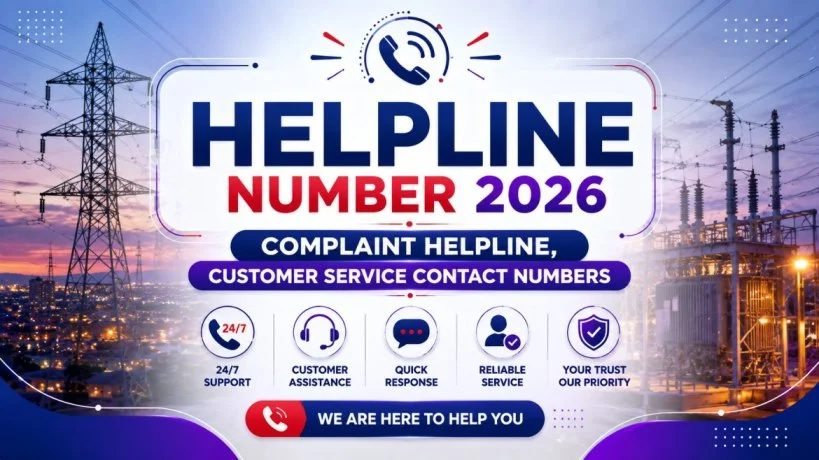
LESCO Helpline Numbers – Quick Reference
LESCO operates multiple contact channels available 24 hours per day, 7 days a week for emergency issues. Here are all official LESCO contact methods:
| Contact Method | Number/Code | Availability | Best For |
|---|---|---|---|
| Emergency Helpline (Call) | 118 | 24/7 | Power outages, urgent faults |
| Toll-Free Helpline (Call) | 0800-00118 | 24/7 | All complaints, all networks |
| SMS Service | 8118 | 24/7 | Quick message, no calling credit |
| Online Portal (CCMS) | ccms.lesco.gov.pk | 24/7 | Detailed complaints, tracking |
| Mobile App | LESCO LIGHT | 24/7 | App-based filing, instant tracking |
| ⚠️ NOT official | Limited | Avoid unverified numbers |
Why you have multiple numbers: The 118 number is a dedicated helpline for power supply issues. The 0800-00118 number is toll-free across all mobile networks. SMS 8118 is ideal if your phone credit is low or you’re in an area with voice call delays.
Important note: LESCO does NOT officially operate a WhatsApp helpline. While some unofficial contacts circulate online, use only the verified channels listed above. Avoid sharing sensitive details (account number, CNIC) via WhatsApp or unverified numbers.
Types of LESCO Complaints and Which Number to Call
Different issues require different departments. Knowing the right helpline saves time:

Power Outages & Technical Faults:
- Call: 118 or 0800-00118
- Issue: Lights off, transformer fault, low voltage, electric shock hazard
- Response time: 1-4 hours (urgent), 24 hours (routine)
- Tell them: Your Reference Number and the affected street/area
Billing Disputes & Meter Reading Issues:
- Call: 0800-00118 or file online via CCMS
- Issue: High bill, wrong meter reading, duplicate charges
- Response time: 3-7 days
- Tell them: Your Reference Number and bill details
Meter Faults & Tampering:
- Call: 118 or visit your nearest complaint office
- Issue: Meter not moving, meter showing zero, suspected faulty meter
- Response time: 3-5 days (inspection required)
- Tell them: Your meter number and observed fault
Electricity Theft or Illegal Connection:
- Call: 118 or LESCO Vigilance Department (99204836)
- Issue: Unauthorized connections, stolen electricity, hanging wires
- Response time: 48 hours (urgent investigation)
- Tell them: Location details, affected area, suspected address
New Connection Queries:
- Call: 0800-00118 or visit customer service center
- Issue: Application status, required documents, demand notice questions
- Response time: Next business day
- Tell them: Your Reference Number from ENC portal
Service Disconnection Disputes:
- Call: 99204833 (GM Customer Services) or escalate to NEPRA
- Issue: Meter disconnected unfairly, arrears dispute
- Response time: 24-48 hours
- Tell them: Your Reference Number and grievance reason
How to File a Complaint by Phone (118, 0800-00118, SMS 8118)
Method 1: Calling 118 or 0800-00118
Step 1: Dial the Number
- From any mobile or PTCL landline, call 118 or 0800-00118
- You’ll hear an automated voice greeting in Urdu/English
Step 2: Choose Your Language
- Press 1 for Urdu
- Press 2 for English
- Press 3 for Punjabi (selected areas)
Step 3: Describe Your Issue
- The system asks: “What is your complaint about?”
- Options: Press 1 for power failure, 2 for billing, 3 for meter, 4 for other
- Keep your answer brief (under 30 seconds)
Step 4: Provide Your Reference Number
- The system asks for your Reference Number (14-digit number on your bill)
- Enter it manually or say it clearly
- Example: “23 12345 1234567U”
Step 5: Confirm Your Mobile Number
- The system confirms the number connected to your account
- Press 1 to confirm or say “Yes”
Step 6: Receive Complaint ID
- The system generates a unique Complaint/Tracking ID
- Write it down immediately
- You’ll also receive it via SMS
Why this matters: Your Complaint ID is your proof. Keep it safe for 30 days. You’ll use it to track status and escalate if needed.
Method 2: SMS to 8118
Step 1: Compose Your Message Type your complaint in format:
RefNo:23123451234567U Issue:Power outage at Gulberg Name:Ahmad Mobile:03001234567
Step 2: Send to 8118
- Send SMS to 8118 (all networks)
- Cost: Standard SMS rate (Rs. 1-2)
Step 3: Receive Confirmation
- Within 5 minutes, you’ll receive a reply SMS with your Complaint ID
- Use this ID to track status
Advantages of SMS:
- No voice call charges
- Perfect for areas with call delays
- Written record automatically saved on your phone
- Works on all networks equally
Online Complaint Filing via CCMS Portal
The Customer Complaint Management System (CCMS) is LESCO’s official online complaint platform. This method allows detailed filing and real-time tracking.

Step 1: Visit CCMS Portal
Go to: https://ccms.lesco.gov.pk (official LESCO complaint portal)
Or go to: https://www.lesco.gov.pk → Click “Complaints” → “File Complaint”
Step 2: Register or Log In
If you’re a new user:
- Click “Register”
- Enter your CNIC number or Reference Number
- Create a username and password
- Verify via email or SMS
If you’re existing:
- Click “Log In”
- Enter your credentials
Step 3: Fill Complaint Form
Required fields:
- Complaint Type: Select from dropdown (Billing, Outage, Meter, Theft, Other)
- Reference Number: 14-digit number from your bill
- Service ID: Meter number (if applicable)
- Mobile Number: For SMS updates
- Email: For follow-up communication
- Complaint Description: 50-500 words describing your issue clearly
- Upload Evidence: Optional but helpful (photos of meter, bill, damaged wires)
Step 4: Submit and Receive Tracking ID
- Click “Submit”
- System generates Complaint ID instantly
- Screenshot this page or note the ID
Step 5: Track Online
- Stay on the portal
- Enter your Complaint ID in the “Track Complaint” section
- You’ll see real-time status updates:
- Registered: Your complaint is in the system
- Assigned: A complaint officer has been assigned
- Under Investigation: LESCO is gathering information
- Resolved: Issue has been fixed
- Closed: Complaint processing complete
Why CCMS is best: Detailed filing, automatic tracking, written proof, and FBR-acceptable documentation.
LESCO Mobile App – LESCO LIGHT for Complaints
LESCO’s official mobile app LESCO LIGHT allows complaint filing, bill viewing, and instant notifications.
Download LESCO LIGHT:
- Android: Google Play Store → Search “LESCO LIGHT”
- iOS: Apple App Store → Search “LESCO LIGHT”
- Free to download | Updated June 2026
File Complaint via App:
- Open LESCO LIGHT
- Log in with your Reference Number and Password
- Tap “Complaints” tab
- Tap “Register New Complaint”
- Select complaint type (Billing, Outage, Meter, etc.)
- Describe issue in 50+ words
- Attach photo evidence (optional but recommended)
- Tap “Submit”
- Your complaint ID appears immediately on screen
Advantages:
- Push notifications on complaint updates
- Track multiple complaints simultaneously
- View bill history and meter readings in one place
- No need to remember your password (biometric login available)
- All correspondence saved in app
LESCO Head Office & Regional Office Addresses
LESCO Head Office (Lahore):
| Detail | Information |
|---|---|
| Address | 22-A, Queen’s Road, Mozang, Lahore, Pakistan |
| Phone | 042-99204798, 042-99204820 |
| Fax | 042-99204801 |
| Hours | Monday-Friday: 9 AM – 5 PM (Saturday: Closed) |
| Best For | General queries, escalation, policy issues |
LESCO Regional Offices (Lahore):
| Region | Address | Phone | Serves |
|---|---|---|---|
| City Region | 8-A, Shadman I, Lahore | 042-99203783 | Central Lahore, Iqbal Park |
| Cantt Region | 5, New Muslim Town, Lahore | 042-99205111 | Lahore Cantonment, Defence |
| South Region | 38-D, Gulberg III, Lahore | 042-99205230 | Gulberg, DHA, Johar Town |
| North Region | 6-A, Iqbal Town, Lahore | 042-99205162 | Allama Iqbal Town, Model Town |
LESCO Offices in Other Districts:
| City | Address | Phone | Region Covered |
|---|---|---|---|
| Kasur | Wapda Colony, Khem Karan Road, Kasur | 049-9239166 | Kasur city and surroundings |
| Okara | Benazir Road, 132 KV Grid, Okara | 044-2527440 | Okara city and surroundings |
| Sheikhupura | LESCO Complex, Sargodha Road, Sheikhupura | 056-9200204 | Sheikhupura city and surroundings |
Nankana Sahib & Surrounding Areas:
- Served by Sheikhupura or Okara office
- For inquiries, call 0800-00118 and your call will be redirected to nearest office
Customer Service Center Locations by Area
LESCO operates 10+ customer service centers where you can visit in person:
| Center Name | Location | Phone | Nearest Areas |
|---|---|---|---|
| Head Office | 22-A Queens Road, Mozang | 042-99205248 | Central Lahore |
| Ichra Center | Shah Jamal Signal, Ferozpur Road | 042-3429118 | Allama Iqbal Town, Gulshan-e-Ravi |
| Ravi Block Center | Near Said Pur Grid, Multan Road | 042-99260166 | Wahcantt, Allama Iqbal Town |
| Northern Circle | Ravi Road | 042-99205076 | Model Town, Iqbal Town |
| Southern Circle | Ghazi Road, DHA, Phase 4 | 042-99264305 | Gulberg, Johar Town, DHA |
| Shalamar Center | WAPDA Road, Shalamar Town | Contact 0800-00118 | Shalamar, Raiwind Road |
| Township Center | Chandni Chowk, Township | 042-99262201 | Township, Lahore |
| Kasur Regional | Wapda Colony, Khem Karan Road | 049-9239166 | Kasur |
| Okara Regional | Benazir Road, Samadpura | 044-2527440 | Okara |
| Sheikhupura Regional | LESCO Complex, Sargodha Road | 056-9200204 | Sheikhupura |
Visiting in Person:
Before visiting, call ahead to confirm the center is open. Bring:
- Original CNIC
- Photocopy of your bill (Reference Number)
- Any relevant documents (for specific issues)
- Complaint description (written clearly)
LESCO Complaint Office Nearest to You
To Find Your Nearest Office:
- Check Your Bill: Your bill shows your subdivision and regional office
- Call 0800-00118: Ask the operator which office serves your area
- Use LESCO LIGHT App: App automatically shows nearest center based on location
- Check LESCO Website: https://www.lesco.gov.pk/contacts
For Each Major Lahore Area:
| Area | Nearest Office | Phone |
|---|---|---|
| Gulberg, Johar Town, DHA | Southern Circle (Ghazi Road) | 042-99264305 |
| Model Town, Iqbal Town, Shadman | Northern Circle (Ravi Road) | 042-99205076 |
| Cantt, Defence, Thokar Niaz Baig | Cantt Regional (New Muslim Town) | 042-99205111 |
| Ravi, Allama Iqbal Town, Gulshan-e-Ravi | Ravi Block Center (Multan Road) | 042-99260166 |
| Shalamar, Raiwind Road | Shalamar Center (WAPDA Road) | Call 0800-00118 |
| Township, Chandni Chowk | Township Center | 042-99262201 |
How to Track Your Complaint Status
Method 1: Online via CCMS
- Visit https://ccms.lesco.gov.pk
- Click “Track Complaint”
- Enter your Complaint ID (received when filing)
- Enter your Reference Number (from bill)
- Click “Search”
- View real-time status
Method 2: Via LESCO LIGHT App
- Open app
- Go to “Complaints” section
- Your filed complaints appear with status
- Tap any complaint for detailed updates
Method 3: SMS
Send SMS: TRACK [Complaint ID] to 8118 Example: TRACK 123456789 → You’ll receive status via SMS within minutes
Method 4: Call
Call 0800-00118 with your Complaint ID ready Operator will provide instant status update
Complaint Status Meanings:
- Registered: Complaint accepted, waiting for assignment
- Assigned: Complaint officer assigned, investigation starting
- Under Investigation: LESCO team is checking the issue
- Resolved: Issue fixed, awaiting your confirmation
- Closed: Complaint completed and verified
Expected Response Times:
| Issue Type | Response Time |
|---|---|
| Power outage (emergency) | 1-4 hours |
| Technical fault | 24-48 hours |
| Billing dispute | 3-7 days |
| Meter issue | 5-10 days (requires inspection) |
| Electricity theft | 2-5 days |
Escalation to NEPRA – If LESCO Doesn’t Resolve
If LESCO doesn’t resolve your complaint within the promised timeframe, you can escalate to NEPRA (National Electric Power Regulatory Authority).
NEPRA Complaint Helpline:
| Detail | Information |
|---|---|
| Complaint Helpline | 1915 (toll-free) |
| Online Portal | https://www.nepra.org.pk → Complaints section |
| Regional Office Lahore | 212, National Tower, Opposite LDA Plaza, Edgerton Road |
| complaints@nepra.org.pk |
When to Escalate to NEPRA:
- LESCO didn’t respond within promised timeline
- LESCO response was unsatisfactory
- Issue unresolved after follow-up
- Service disconnection felt unfair
How to File NEPRA Complaint:
- Have your LESCO Complaint ID ready
- Call 1915 (24/7)
- Provide: Reference Number, Complaint ID, issue details
- You’ll receive NEPRA Complaint Reference Number
- NEPRA will contact LESCO for compliance
- NEPRA investigates independently if needed
Frequently Asked Questions (FAQs)
Final Thoughts
Contacting LESCO doesn’t have to be difficult. Whether it’s an emergency power outage, a billing dispute, or a meter fault, you now know exactly which channel to use—call 118 for urgent issues, SMS 8118 if you want a written record, or file online via CCMS for detailed complaints. The key is having your Reference Number ready and saving your Complaint ID immediately after filing.
LESCO operates 24/7 for genuine emergencies. For non-urgent matters, file online for better tracking and documentation. And if LESCO doesn’t resolve your issue, NEPRA (helpline 1915) is there to hold them accountable.
Don’t suffer in silence. Report issues early. Track them diligently. Escalate if necessary.
LESCO Customer Care — Quick Cheat Sheet
- Emergency Helpline: 118 or 0800-00118 (24/7)
- SMS Complaints: 8118
- Online Portal: https://ccms.lesco.gov.pk
- Mobile App: LESCO LIGHT (Android/iOS)
- Head Office: 22-A Queen’s Road, Lahore (042-99204820)
- Escalation to NEPRA: 1915 (toll-free)
- Service Area: Lahore, Kasur, Okara, Sheikhupura, Nankana Sahib
- Always Have Ready: Reference Number (14-digit from bill), meter number, mobile number
- After Filing: Save your Complaint ID, track online, follow up if unresolved